Discovery before import
Understand the source content, people, records, and exceptions.
LMS migration is designed as a complete Lexora experience with visible controls, human-readable outcomes, and a clear place in the wider learning platform.
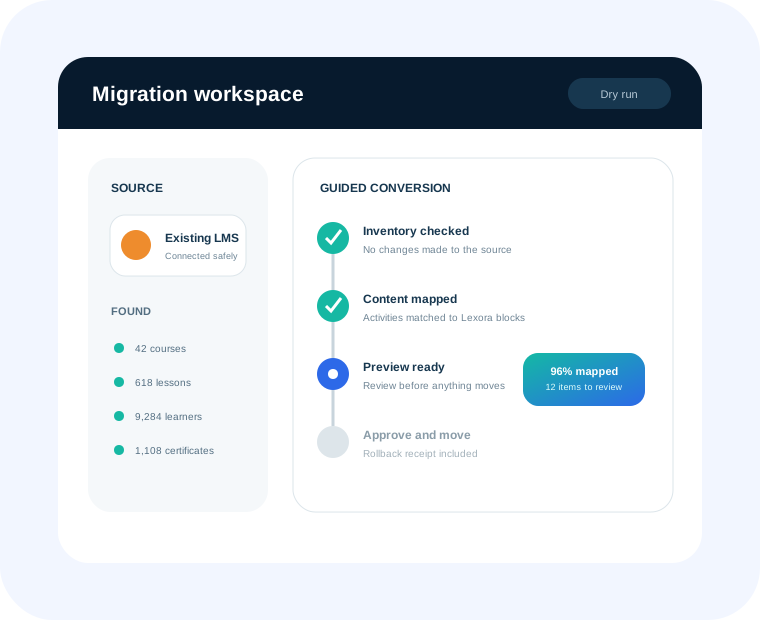
LMS migration is designed as a complete Lexora experience with visible controls, human-readable outcomes, and a clear place in the wider learning platform.
Understand the source content, people, records, and exceptions.
Preview mapping without changing the destination.
Resolve unsupported activities and data quality issues visibly.
Translate supported learning into Lexora-native structures.
Preserve evidence of every migration outcome.
Plan for Moodle, Canvas, Blackboard, Brightspace, Google Classroom, and more.
Lexora is designed for solo instructors, academies, schools, colleges, universities, organizations, ministries, nonprofits, government-facing programs, and academy networks.
Yes. Lexora is modular so teams can begin with the capabilities they need and expand without rebuilding the learning operation.
AI experiences are designed around source grounding, permissions, human review, release awareness, usage visibility, and learner safety.
We will connect the feature to your people, policies, and outcomes.